
Knowledge Base - Training Your AI Agents
Quick Reference Keywords: Training AI agents · Adding FAQs · Knowledge base · PDF upload · Website URL · Agent knowledge · Shared knowledge
Overview
Your AI agents' conversation flow is determined by each agent's specific instructions, but you can train them further with supplemental knowledge they access on a need-to-know basis. The Knowledge Base is shared by all agents (both text and voice) and is the place to add information about your business that agents should know when asked, without cluttering individual agent instructions.
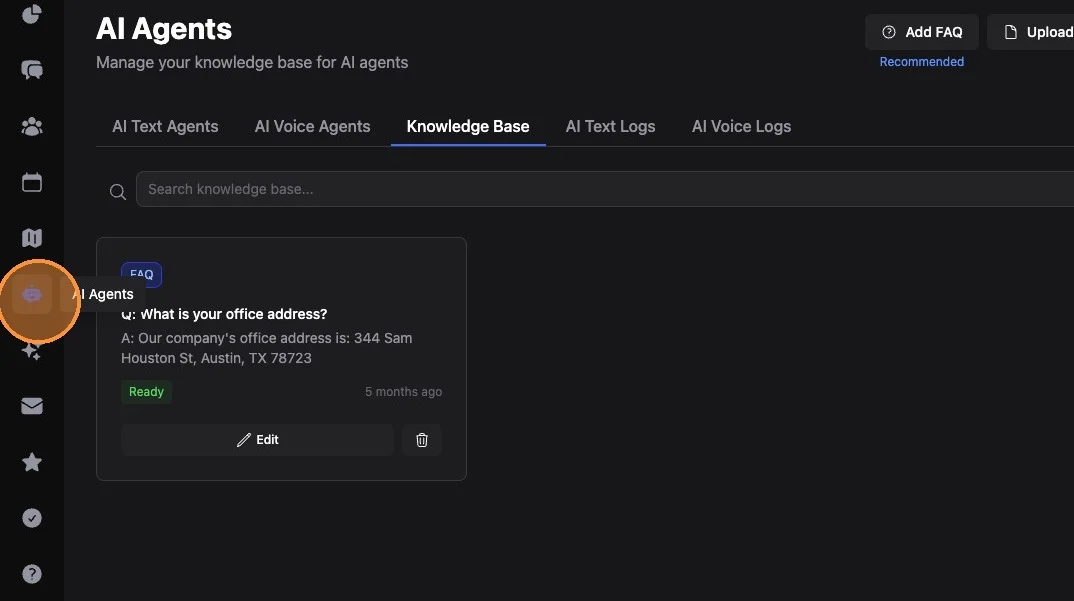
1. Navigate to AI Agents (robot icon, main left hand menu)
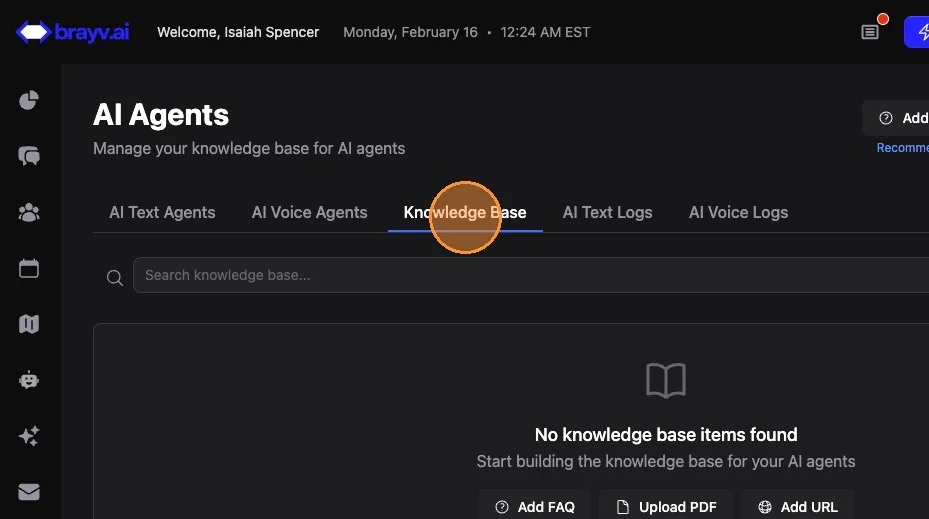
2. Click "Knowledge Base"
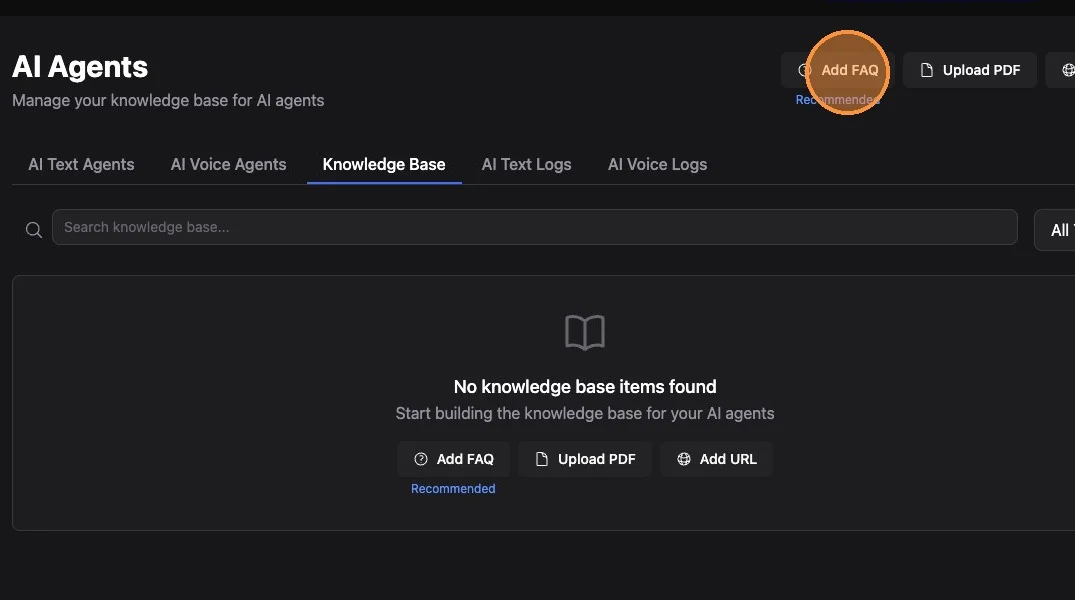
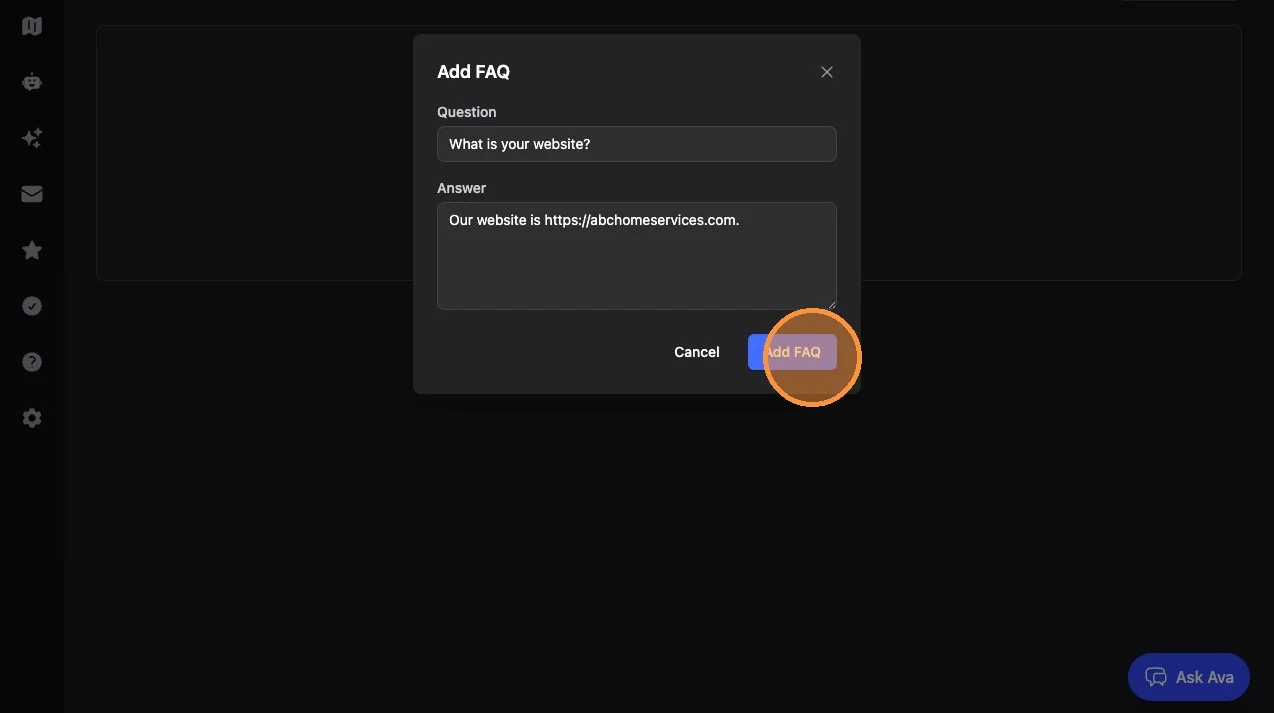
3. Click "Add FAQ"
4. Enter your question in the question field and your answer in the answer field.
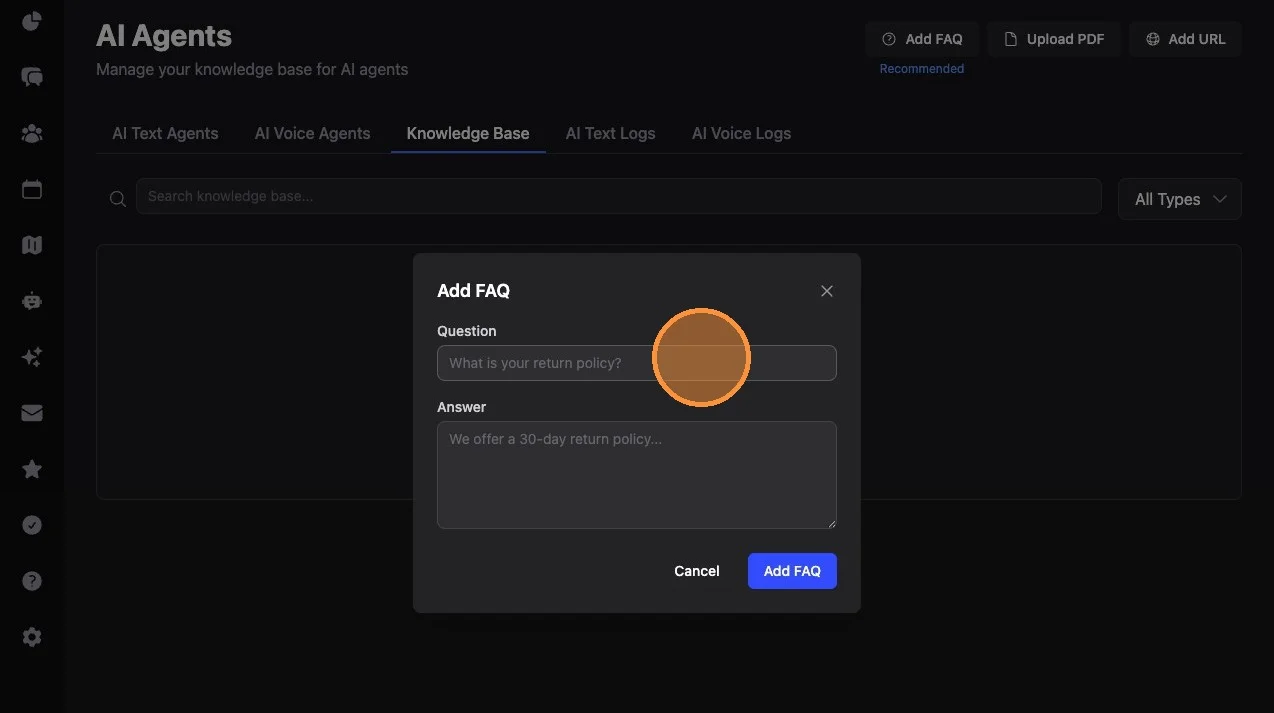
5. Click "Add FAQ"
What to Add to Your Knowledge Base
Recommended Minimum FAQs:
- What is your website?
- What is your office address?
- What is a good contact email?
- Do you offer XYZ service? (especially for services people commonly ask about that you do NOT offer)
- How much does XYZ product cost? (whether you want the AI to give specific pricing or guide the answer without exact numbers)
Other Content Types: You can also upload PDFs or add a specific website URL for our AI to read and add to the knowledge base. Some websites will block our AI from reading them based on site settings - if you add a website and get a failure message, this is why.
Source Reliability Tiers
The knowledge base is intelligently tiered, so agents view source types differently:
-
FAQs (Most Reliable) - Agents treat FAQ answers as the most trustworthy source. In a conflict between an FAQ and other sources, the FAQ wins. This is the most reliable way to give information to your AI because you know exactly what is in your FAQs.
-
PDFs (Use Caution) - Useful for large bodies of information, but may contain data you don't want the AI to mention (vendor phone numbers, products/services you don't actually offer, etc.)
-
Website URLs (Use Most Caution) - Helpful but carry the highest risk of unintended information. Websites may contain corporate phone numbers, generic addresses, or franchise-level info that doesn't apply to your specific business. The AI might focus on a particular detail and miss the broader context.
How Agents Use the Knowledge Base
Shared Across All Agents: Your knowledge base is shared between all your agents, both voice and text. This means you only need to add information once for all agents to benefit.
When Agents Search It:
- When a specific product or service is mentioned (even without a direct question)
- When the contact asks a direct question not covered in the agent's specific instructions
- Any time the agent feels it needs more context to respond well
Knowledge Base vs Agent Instructions:
- Knowledge Base: Information agents should know when asked or referenced, but don't need to proactively mention. Ideal for FAQs, pricing, service details, business info.
- Agent Instructions: Information agents should always use in specific conversation contexts. If you want an agent to always mention something, put it in the agent's instructions (and optionally also in the knowledge base so other agents have access too).
Key Tips
Start with FAQs: FAQs give you the most control over what information agents access. Start here before adding PDFs or URLs.
Audit PDFs Before Uploading: Read through any PDF you plan to upload and ensure it only contains information you'd want an AI to mention to a customer.
Test After Adding: After adding knowledge base entries, test your agents to make sure they reference the new information appropriately.
Keep FAQs Specific: Write FAQs as direct Q&A pairs. The more specific and concise, the better the AI can match and use them.
Related Features
- AI Text Agents Overview - Complete guide to text agent setup
- AI Voice Agents Overview - Voice agent configuration
- Advanced Conversation Management - Troubleshooting AI responses and context
Summary
The Knowledge Base is your central hub for training all AI agents:
- FAQs are the most reliable and recommended way to add knowledge
- PDFs and Website URLs are available but use with caution
- Knowledge is shared across all agents (text and voice)
- Agents automatically search the knowledge base when they need more context
- Use agent-specific instructions for information that should always be mentioned; use the knowledge base for supplemental on-demand knowledge