
Related Articles
Testing Text Agent Drafts
Overview
Drafts let you make and test changes to a saved AI Text Agent without changing the version that is handling live conversations.
Use a draft when you want to adjust how an agent talks, what information it collects, or which tools it triggers, but you want to test the conversation first before those changes affect real contacts.
Why Use a Draft?
Drafts are useful when you want to:
- Rewrite or refine the agent's instructions
- Add, remove, or adjust conditional tools
- Add or change field extractors
- Test a different completion goal criteria
- Ask Ava to help edit an agent, then test the result before publishing
Live conversations continue using the active version until you publish the draft.
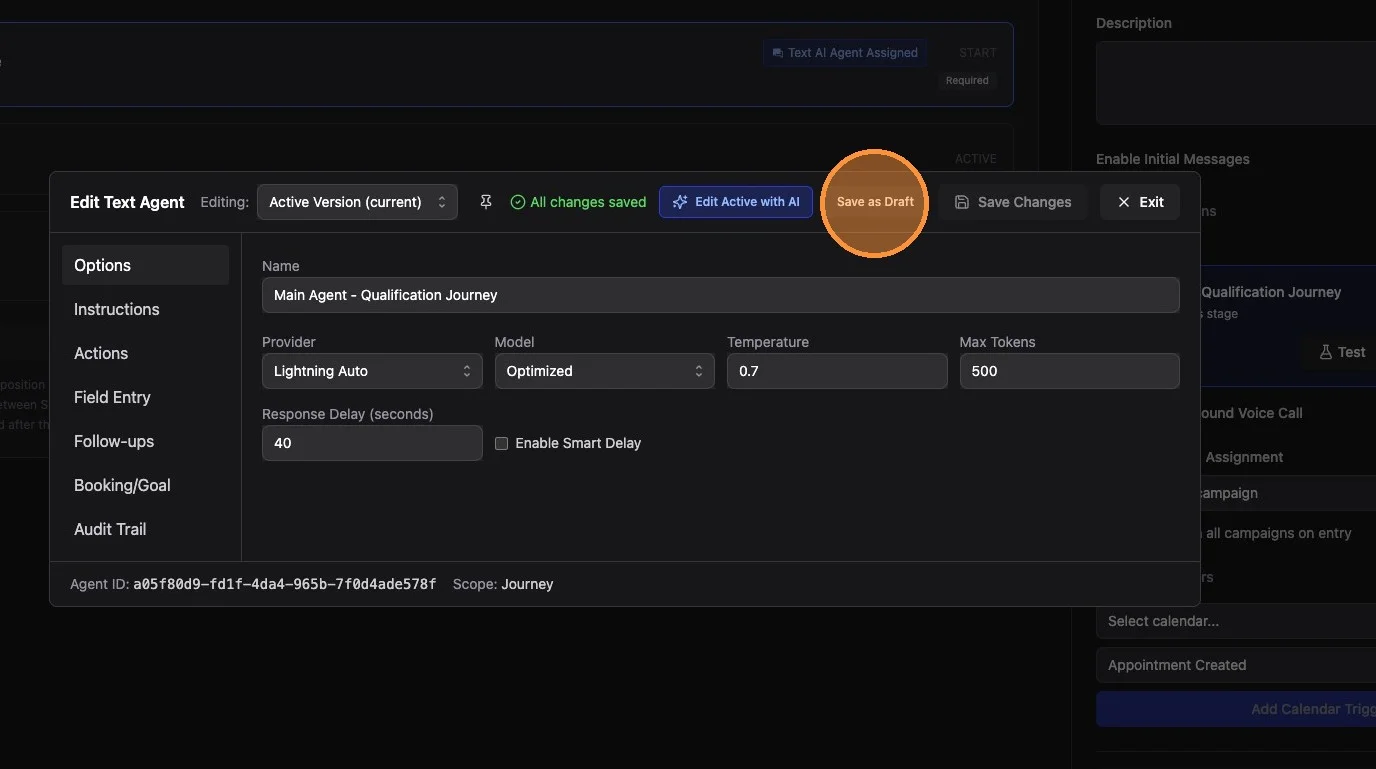
To create a draft, make your changes in the agent editor and click Save as Draft.
Active Version vs Draft
Active Version is the saved configuration currently used by live conversations.
Draft is an unpublished configuration you can edit and test safely.
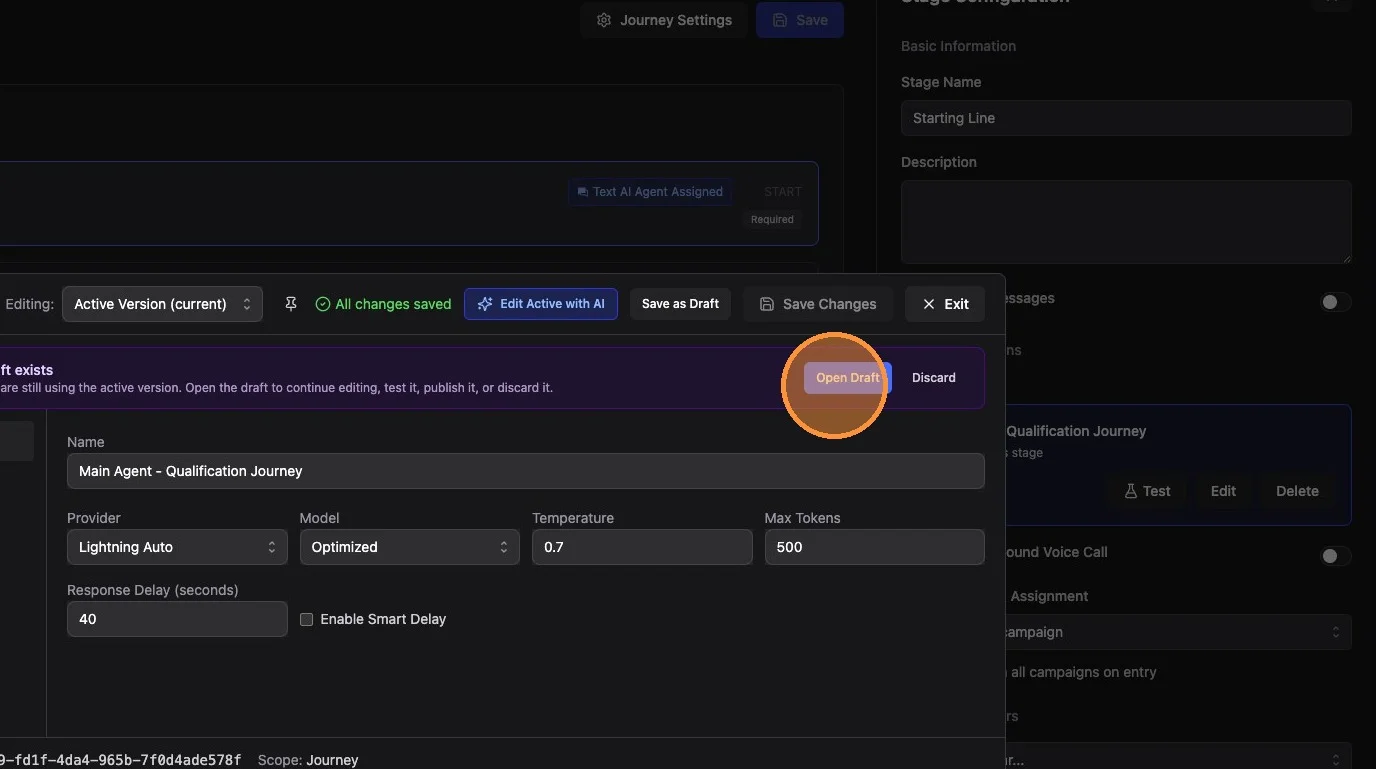
If an agent has an unpublished draft, you will see a banner that says Unpublished draft exists. Click Open Draft to continue editing it.
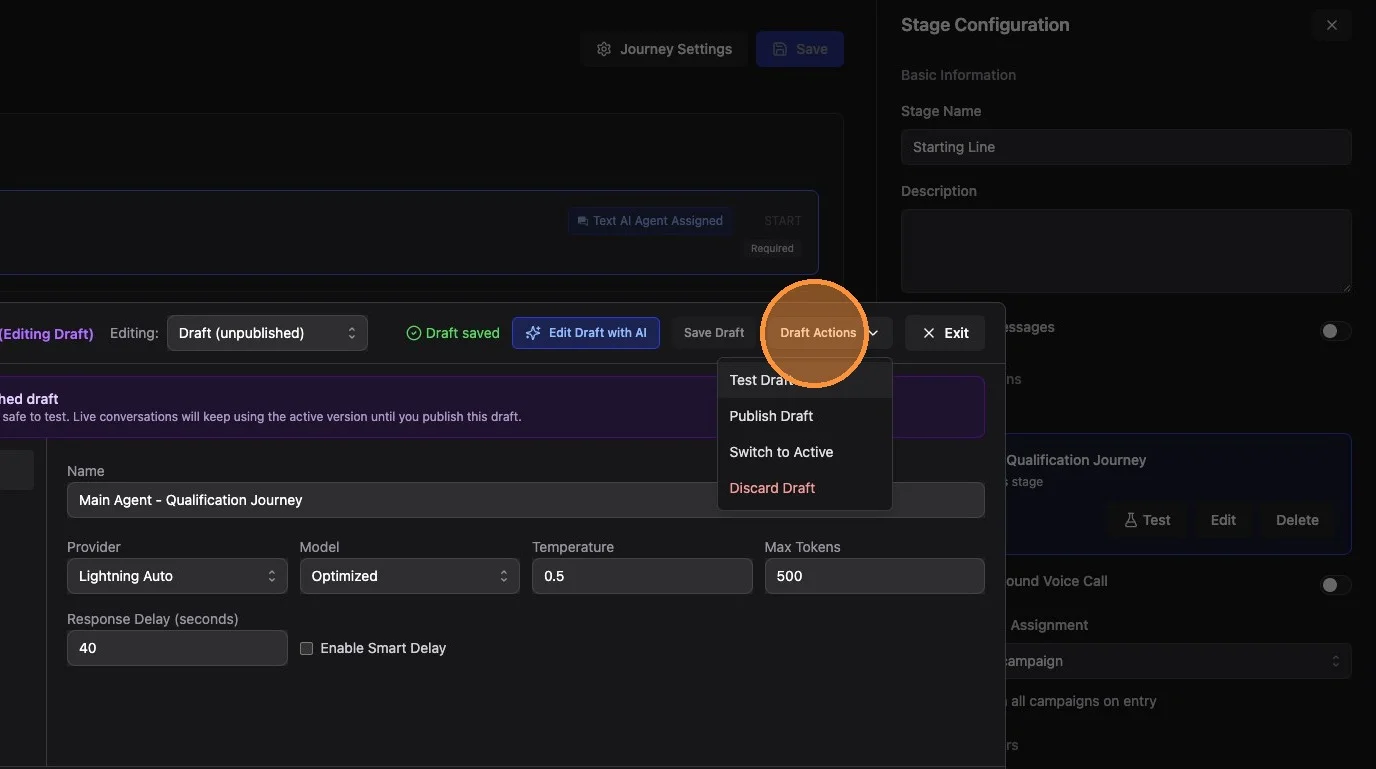
When you are editing a draft, the editor shows that you are working on the draft. Draft-specific options are grouped under Draft Actions, including:
- Test Draft
- Publish Draft
- Switch to Active
- Discard Draft
What Draft Testing Does
Draft testing uses the same test conversation environment as regular agent testing.
In a test conversation:
- The draft's instructions are used
- Draft conditional tools can trigger
- Draft field extractors can run
- Completion goal criteria can be tested
- Tool activity is shown so you can see what would have happened
Test conversations use a test contact, so tool actions are simulated instead of affecting real contacts, sending real emails, or changing real records.
What Drafts Are Not For
Draft mode is focused on testing conversation behavior.
Some configuration remains tied to the active agent setup and is not edited inside drafts:
- Calendar selection scripts
- Goal assignment scripts
- Goal notifications
- Target stage selection for completion goals
For booking tests, the test conversation uses a dummy calendar. This means draft testing is best for checking whether the agent tries to book at the right point in the conversation, not for validating real calendar routing rules.
Using Ava With Drafts
You can use Ava while editing either the active version or the draft.
The Ava chat header shows whether Ava is working on the active version or the draft. If you open Ava while editing a draft, Ava's suggested changes apply to the draft editor state, not directly to the active version.
After Ava applies changes, review them and click Save Draft if you want to keep them.
Publishing a Draft
Publishing a draft replaces the active agent configuration with the draft configuration.
Before publishing:
- Open the draft.
- Click Test Draft.
- Have a realistic test conversation.
- Confirm the agent responds correctly.
- Confirm tools and field extractors trigger as expected.
- Click Draft Actions > Publish Draft.
Once published, live conversations will use the new configuration.
Discarding a Draft
If you do not want to keep the draft, choose Draft Actions > Discard Draft.
Discarding a draft does not change the active agent.
Best Practices
- Use drafts for meaningful changes, especially changes to instructions, tools, field extractors, or completion criteria.
- Test at least one full conversation before publishing.
- Test the exact scenario you are trying to improve.
- If you are unsure whether the draft is better, switch back to active and compare the behavior.
- Publish only when you are ready for live conversations to use the new configuration.
Summary
Drafts give you a safe workspace for improving AI Text Agents. Edit the draft, test it in a simulated conversation, then publish only when you are confident the changes are ready for real contacts.