
Related Articles
Auditing Voice Agents - AI Voice Logs
Quick Reference Keywords: AI voice logs · Call recordings · Call transcripts · Voice agent troubleshooting · Tool usage logs · Call summary
Overview
AI Voice Logs give you full visibility into every voice agent call. Each log includes a call recording, full transcript, AI-generated summary, tool execution details, and configuration info like which agent and model handled the call. Use these logs to audit AI behavior, troubleshoot issues, and ensure your voice agents are performing as expected.
Calls that never happened aren't here. These logs cover calls an agent actually handled. Two cases won't appear, and both are recorded on the contact instead:
- An outbound AI call that was skipped or cancelled — skipped because the contact is marked Do Not Call, or has Voice AI or Outbound Voice AI off; cancelled because the contact replied by text before the call was placed. Look for an "Outbound AI call skipped" or "Outbound AI call cancelled" entry on the contact's activity history, which names the reason. (A call due outside its time gate hours is not skipped — it waits and dials when the window opens.)
- An inbound call forwarded away from the AI — when the contact has Voice AI off, the call goes to your fallback number instead of an agent. A note explaining the forward appears in the contact's conversation thread (internal for your viewing, this is not sent to the contact).
See Managing Contacts for those settings and Voice Agent Conditional Tools for the actions that set them mid-call.
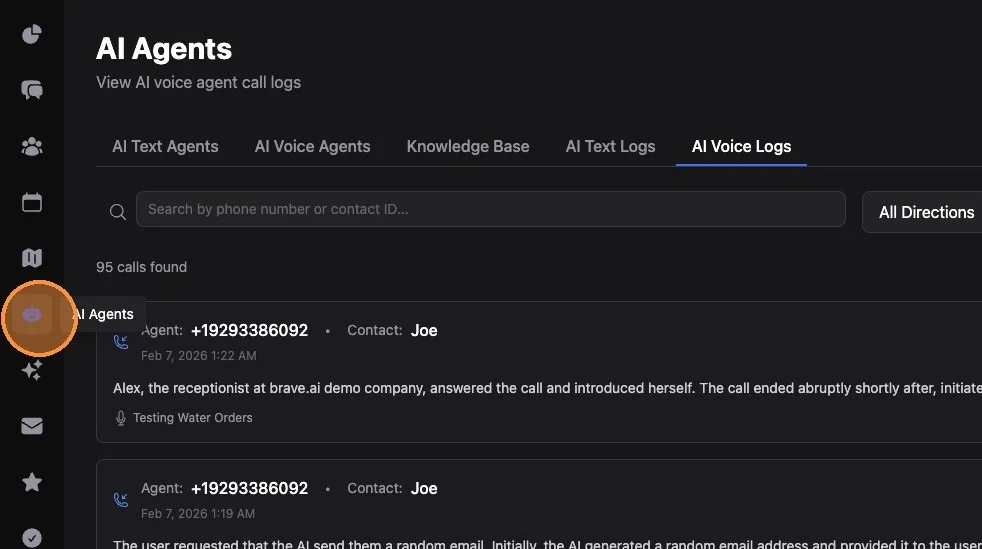
1. Click on AI Agents (robot icon, main left side menu)
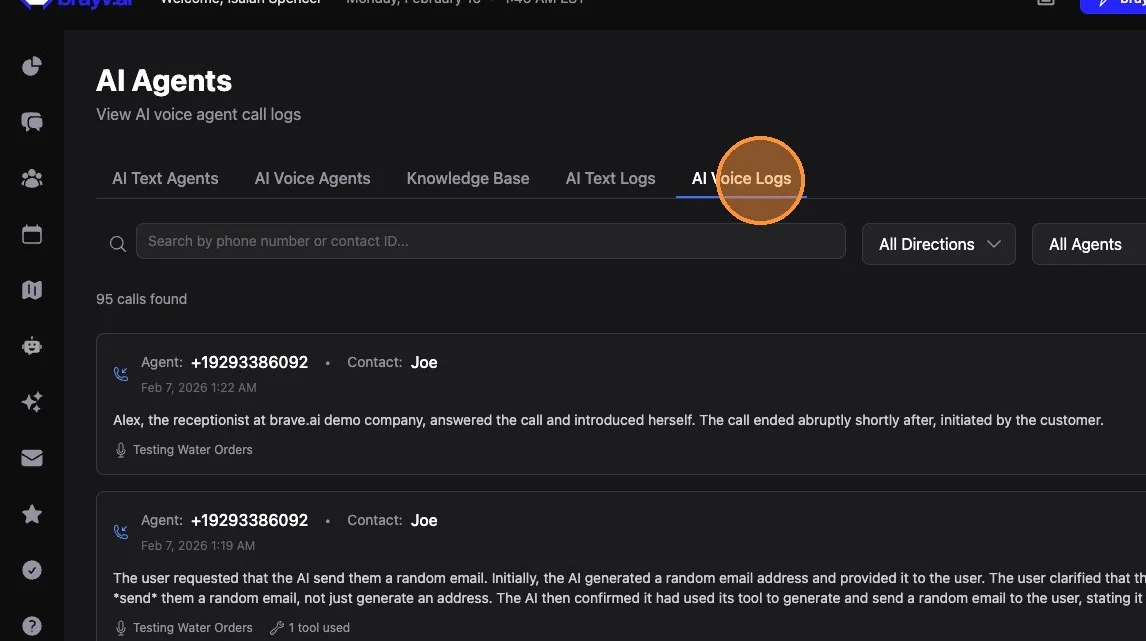
2. Click "AI Voice Logs"
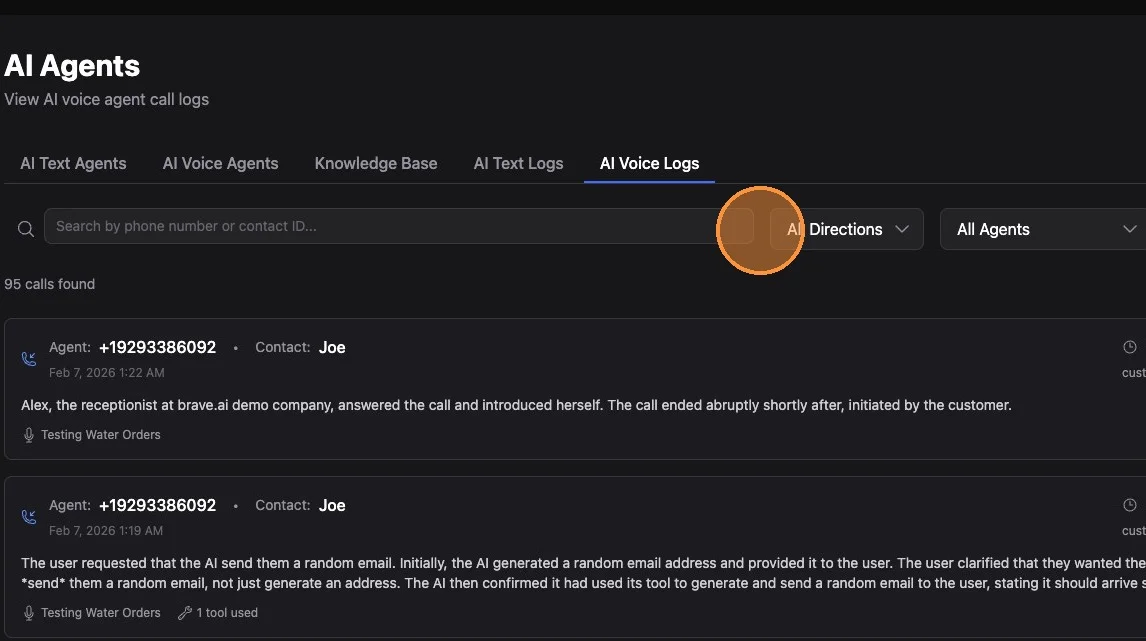
3. You can sort and filter logs by:
- Direction (inbound vs outbound)
- Agent (specific agent)
- Or search by phone number or contact ID
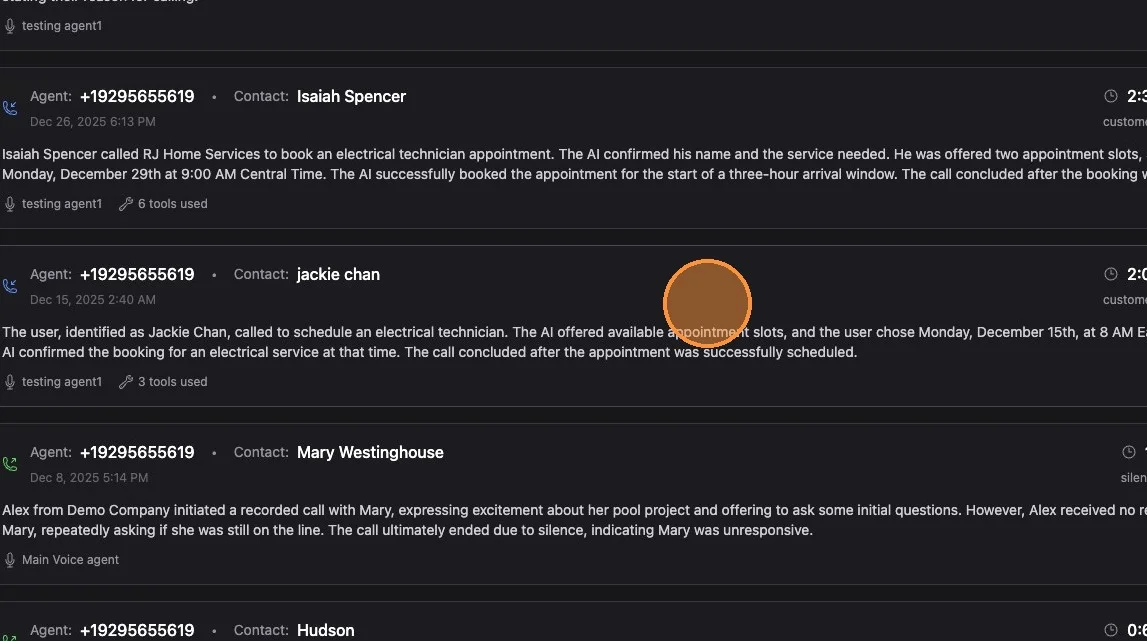
4. Log cards show the agent phone number, contact name, duration, time, summary, and agent name. Click on any card to open the full log.
Log Overview Tab
5. The Overview section shows:
- Agent phone number
- Contact phone number
- Agent name
- Call duration
- AI model used
- Reason the call ended
- AI voice used
You can also play the full recording of the call and read the AI-generated summary.
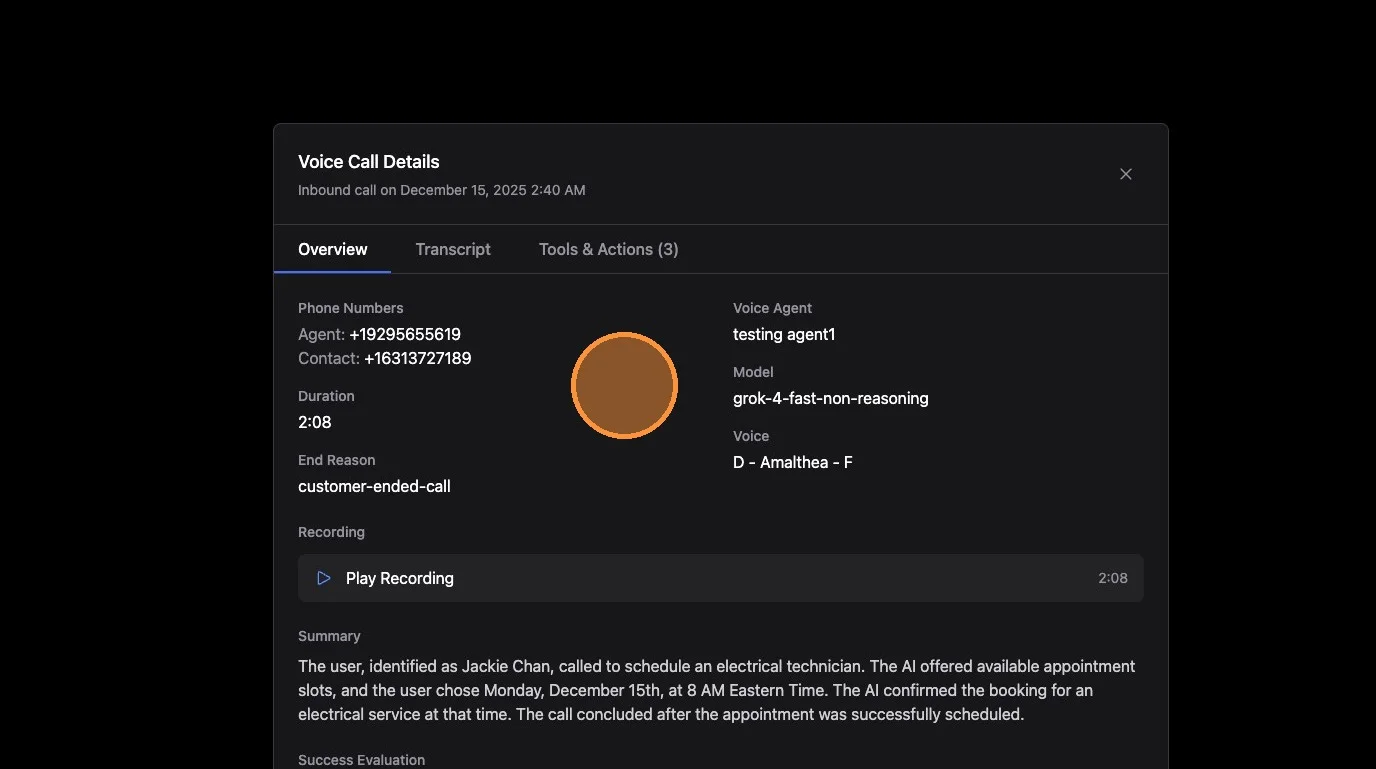
Voice Agents 3.0: On v3 the "AI model used" field may not appear, since the system routes to the best available model automatically rather than using a model you selected.
Transcript Tab
6. Click "Transcript" to view the full transcript. You can click the copy button to copy the full transcript if needed.
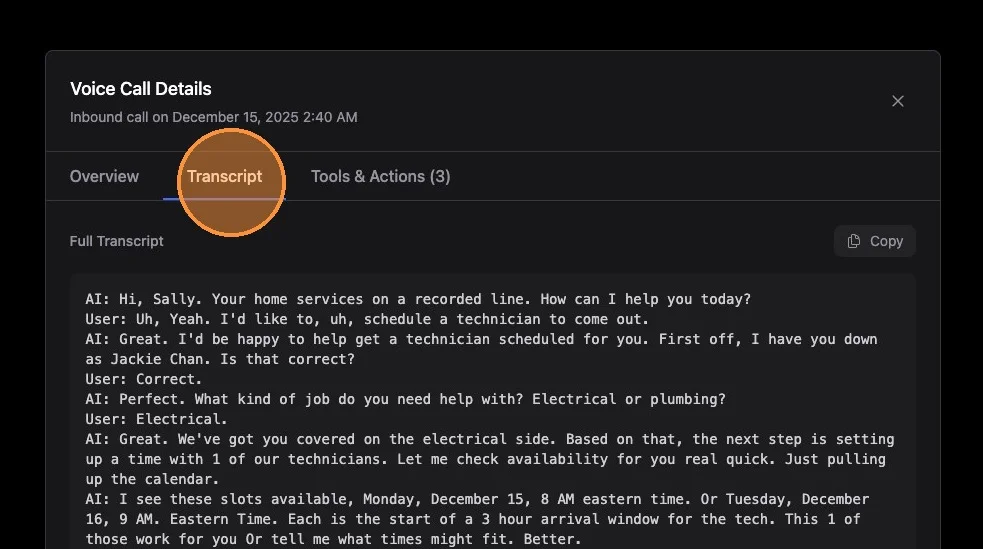
Voice Agents 3.0: If a call included a human takeover, the transcript labels the AI portion (Voice Agent / Contact) and the human portion (Internal Team Member / Contact) so you can see exactly where a team member stepped in.
Tools & Actions Tab
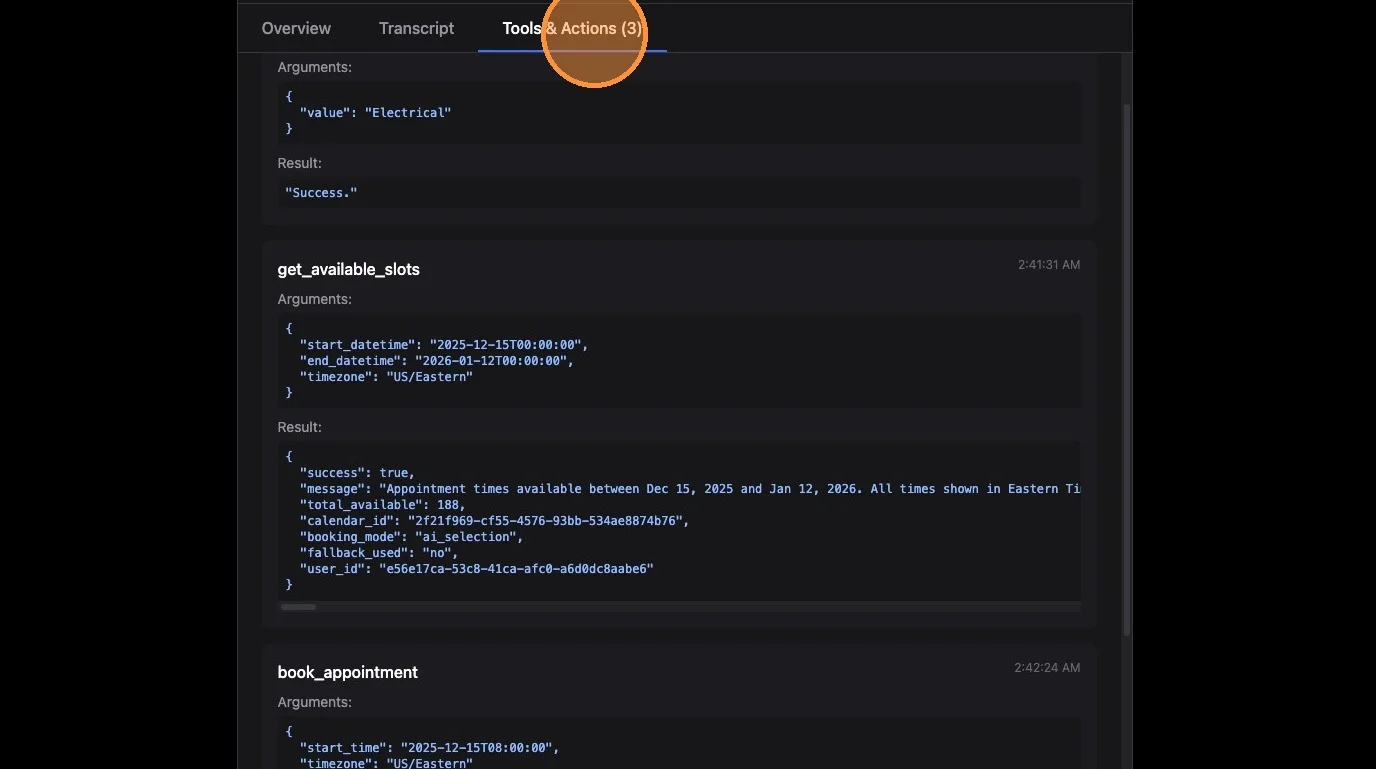
7. Click "Tools & Actions" to see what the AI did during the call (if applicable)
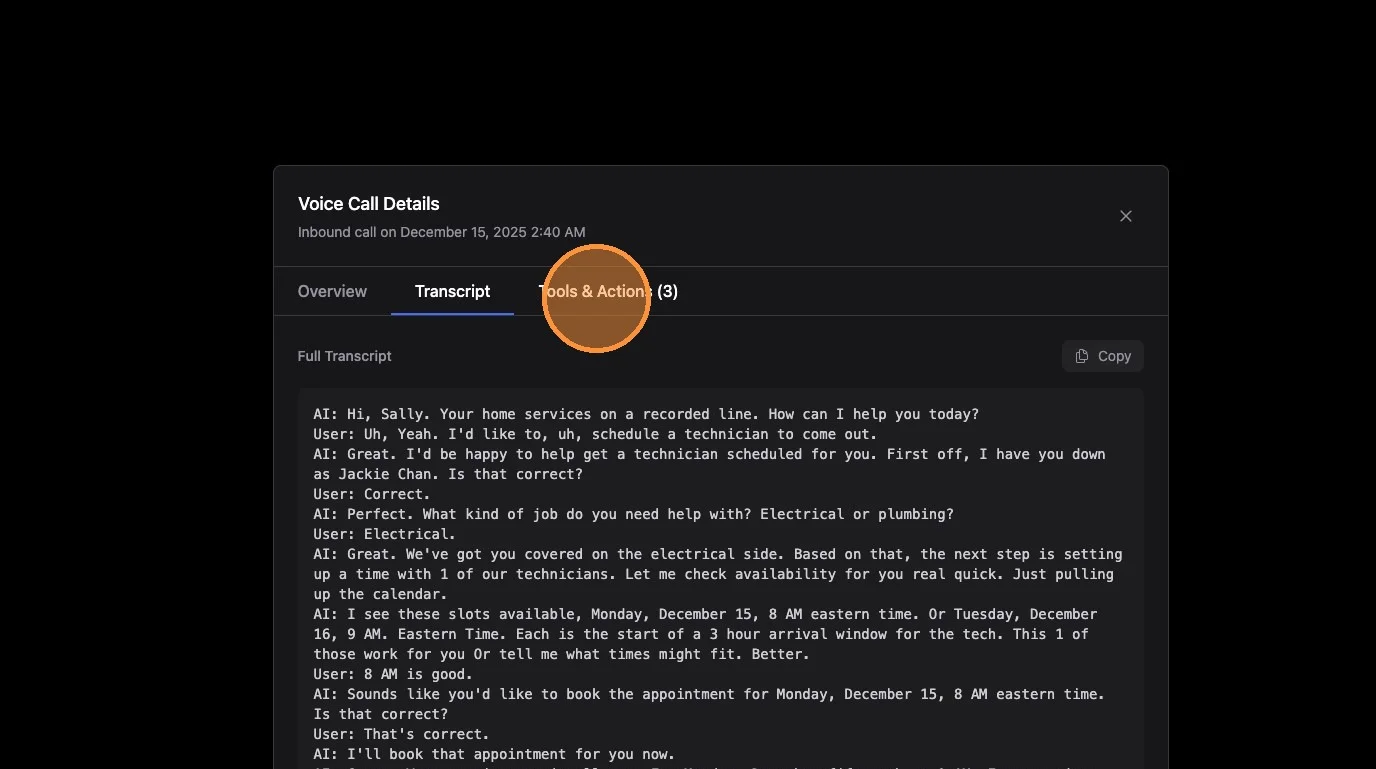
8. You'll see a full list of all tools the AI used during the call, including arguments (inputs from the AI into the tool), results (e.g., whether the tool was successful, what it returned), and trigger reason for conditional tools.
Call Sequence Tab (Voice Agents 3.0)
Voice Agents 3.0: The Call Sequence tab appears for calls handled on v3.
The Call Sequence tab shows a single, chronological timeline of everything that happened on the call, with a time offset (m:ss) for each event. Where the Transcript shows what was said and Tools & Actions shows what the AI did, the Call Sequence stitches it all together in order, including:
- Call lifecycle (start, end)
- Completed transcript lines
- Tools invoked, completed, or failed
- Filler audio the agent played while working
- Interruptions (when the caller talked over the agent)
- Agent handoffs (exactly where the call passed from one agent to another)
- Provider fallback (if the system switched models mid-call)
- Human takeover (where a team member took over the call)
Use For:
- Understanding the exact order of events on complex calls
- Seeing where and why a handoff or takeover happened
- Debugging timing issues (e.g., a tool firing later than expected)
If your account isn't on v3 yet, this tab shows a short note instead.
Key Tips
What to Look For When Troubleshooting:
- Call ended unexpectedly: Check the "Reason call ended" field in the overview
- Wrong response or behavior: Listen to the recording and cross-reference the transcript
- Booking issues: Check the booking tool in Tools & Actions for available slots and booking attempts
- Field extraction problems: Look for field extractor tools and whether values were captured correctly
- Conditional tool triggers: Review the trigger reason to confirm the AI's logic for activating the tool
Searching Efficiently:
- Filter by direction to isolate inbound vs outbound calls
- Filter by agent to review a specific voice agent's performance
- Search by phone number to find all calls with a specific contact
- Search by contact ID for precise matching across agents
Related Features
- AI Voice Agents Overview - Voice agent setup and configuration
- Live Call Monitoring & Takeover - Watch and take over live calls (v3)
- Voice Conditional Tools - Understanding voice tool triggers
- Voice Field Extractors - How voice agents extract contact data
- Voice Booking Configuration - Booking setup for voice agents
- Auditing AI Text Conversations - Similar auditing for text agent logs
Summary
AI Voice Logs provide complete audit capability for every voice agent call:
- Overview tab shows call metadata, recording playback, and AI summary
- Transcript tab gives you the full word-for-word conversation
- Tools & Actions tab reveals every tool the AI used, with inputs and results
- Filter and search by direction, agent, phone number, or contact ID
- Use logs to verify AI behavior, troubleshoot issues, and improve agent performance