
Related Articles
Bulk Outreach Final Spot Check
Quick Reference Keywords: Bulk Outreach Final Spot Check · Checklist before bulk outreach · Update journey initial message · Update agent instructions for a sale · Test journey agent · Company context for promotions · Spot check before enrolling contacts
Overview
Run this spot check before you enroll contacts in a bulk outreach Journey. It walks through the Starting Line message, the agent's instructions and follow-ups, a test conversation, and company context so every agent knows about the current promotion.
Do this after you have a dedicated bulk outreach Journey (clone one if you need to — see How to Clone an Existing Journey), or just ask Atlas to build you a bulk outreach Journey/update your existing bulk outreach Journey for your current promotion. When the checklist is done, enroll contacts with How to Bulk Add Contacts to a Journey.
What you are checking:
- The Starting Line initial message matches the promotion
- The Starting Line agent has at least a little context on the sale or offer
- Follow-ups are current — for bulk outreach, keep the total to no more than 4 messages (initial + 1–3 follow-ups)
- A test conversation sounds right before real contacts are enrolled
- Settings → Business → Company Context mentions the current sale (all agents include this by default)
Journey Navigation
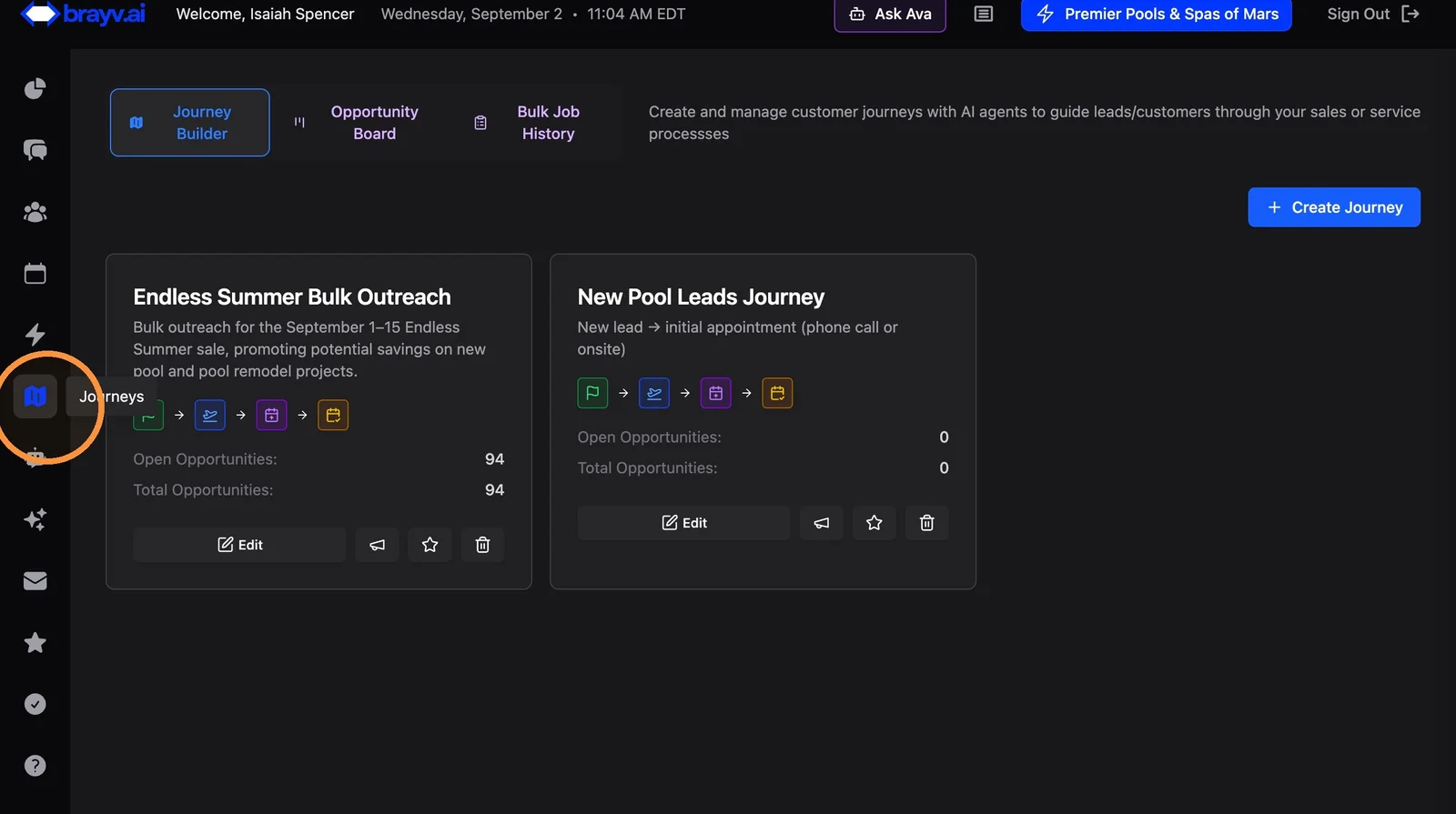
1. Click Journeys in the left sidebar
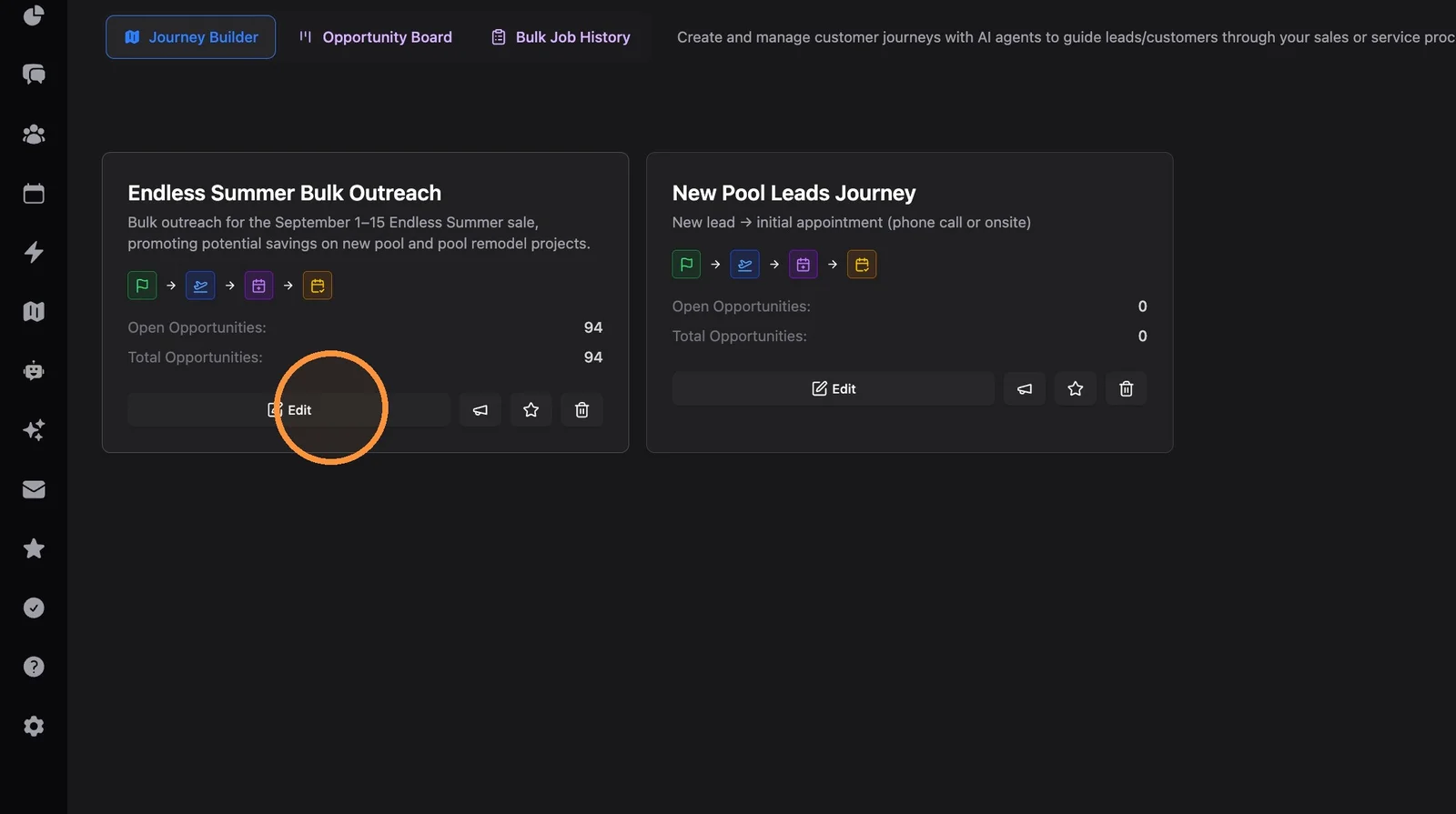
2. Click "Edit" on the Journey you will use for the Bulk Outreach
Use a dedicated bulk outreach Journey, not the Journey that new leads are routed into from lead sources.
Agent Configuration
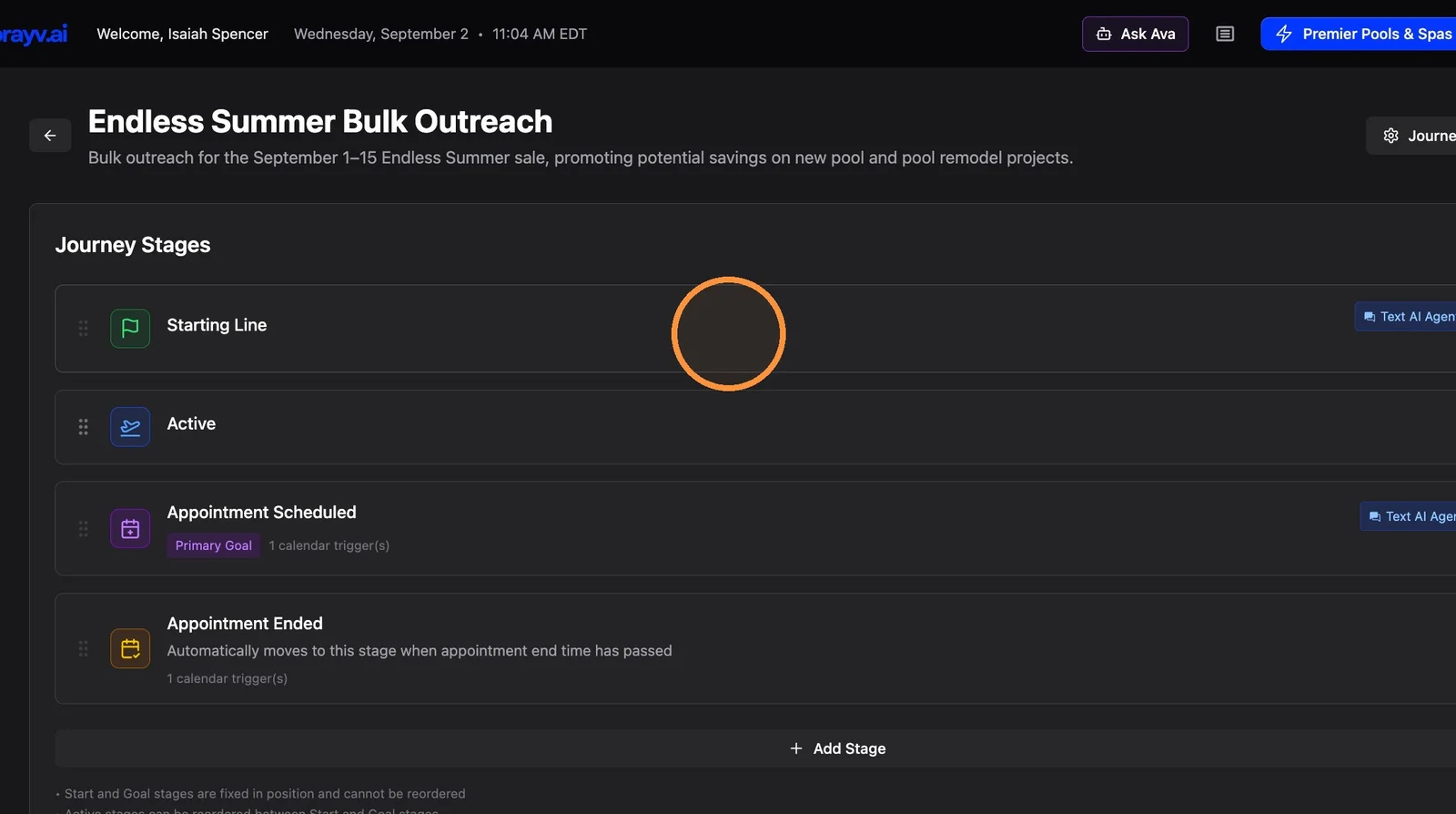
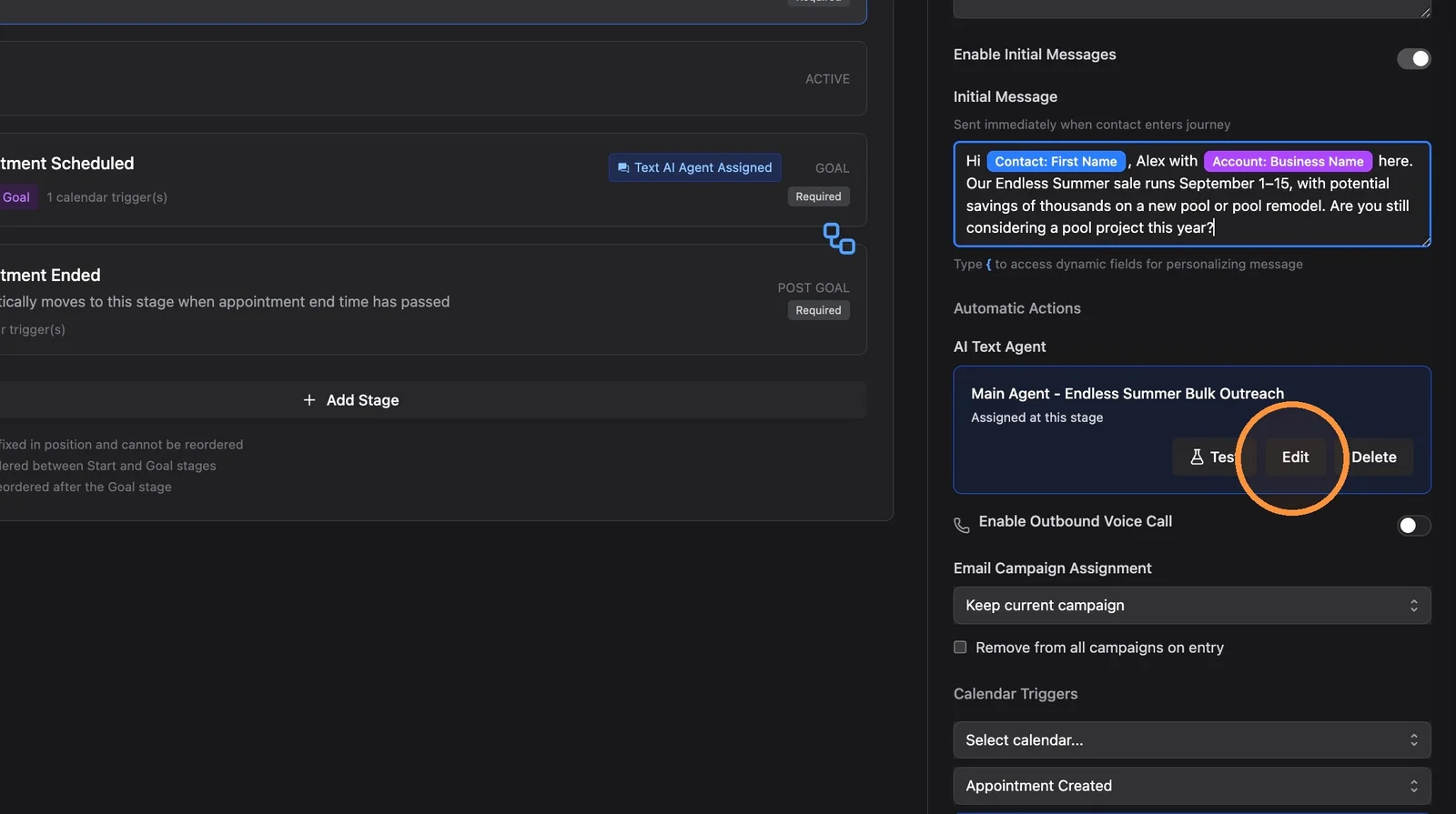
3. Click the Starting Line stage
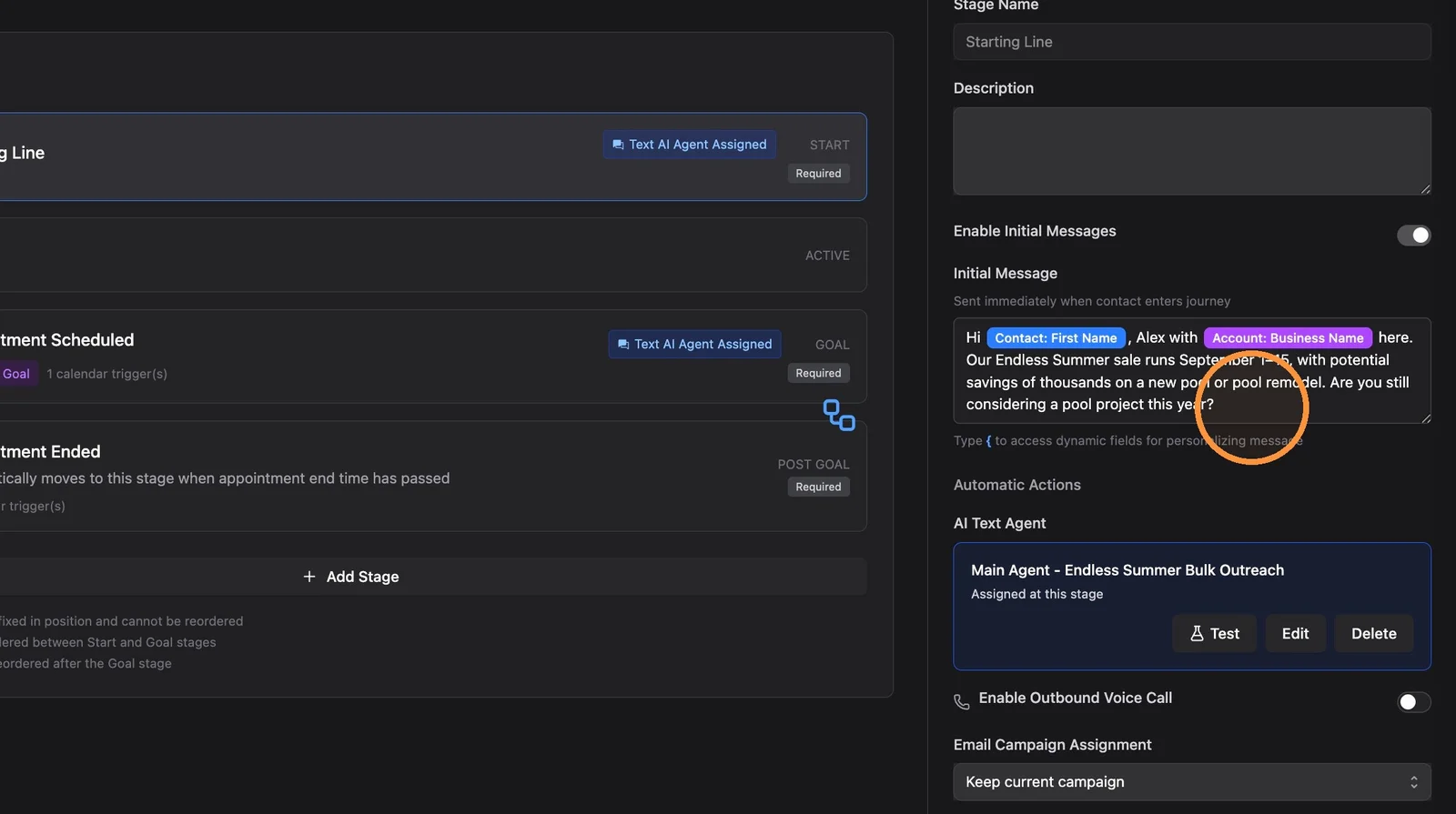
4. Check the initial message — make sure it says what you want. If you need to change it, click into it, edit as needed, and click "Save" on the Journey.
This is the first text contacts receive when they are enrolled. Confirm the offer, tone, and any variables (like
{contact.first_name}) look right for this outreach.
5. Click "Edit" on the Agent
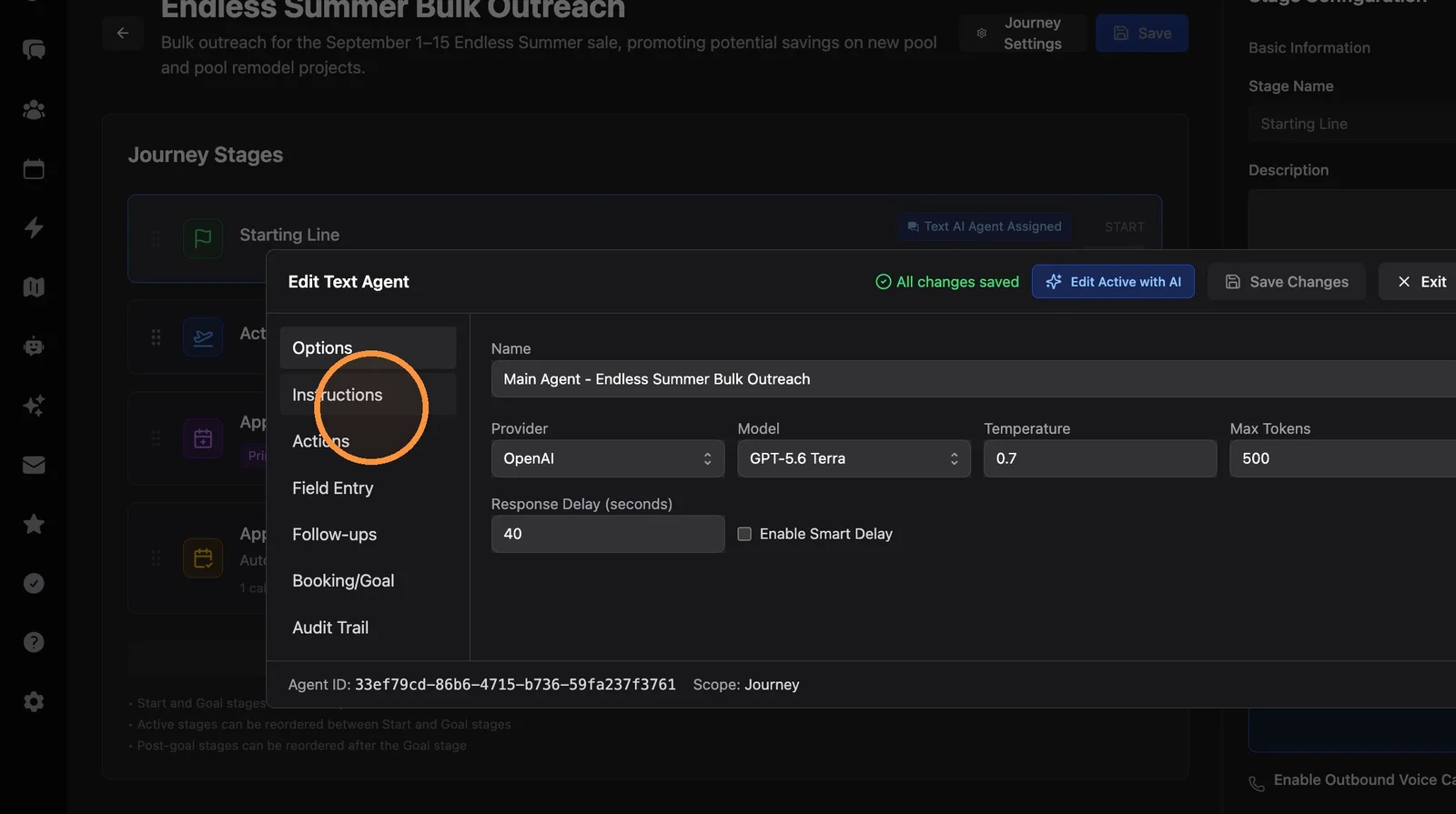
6. Click on the Instructions tab in your agent.
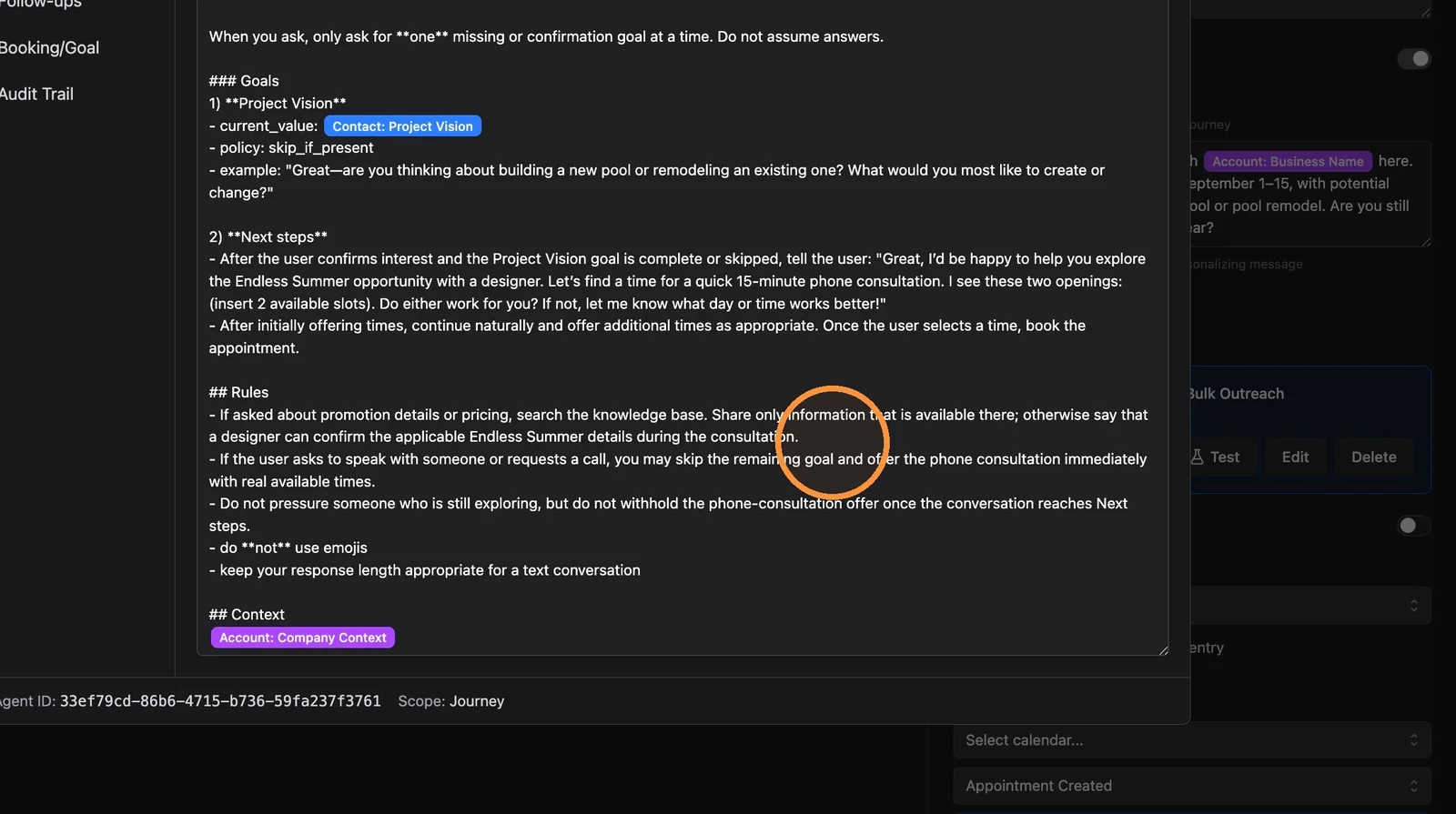
7. Make sure your agent has at least a little bit of info on the particular promotion you are running.
You do not need to rewrite the whole Instructions. A short note about the offer, dates, and what the agent should do if someone is interested is enough. Save a full rewrite for when the Journey's purpose actually changes.
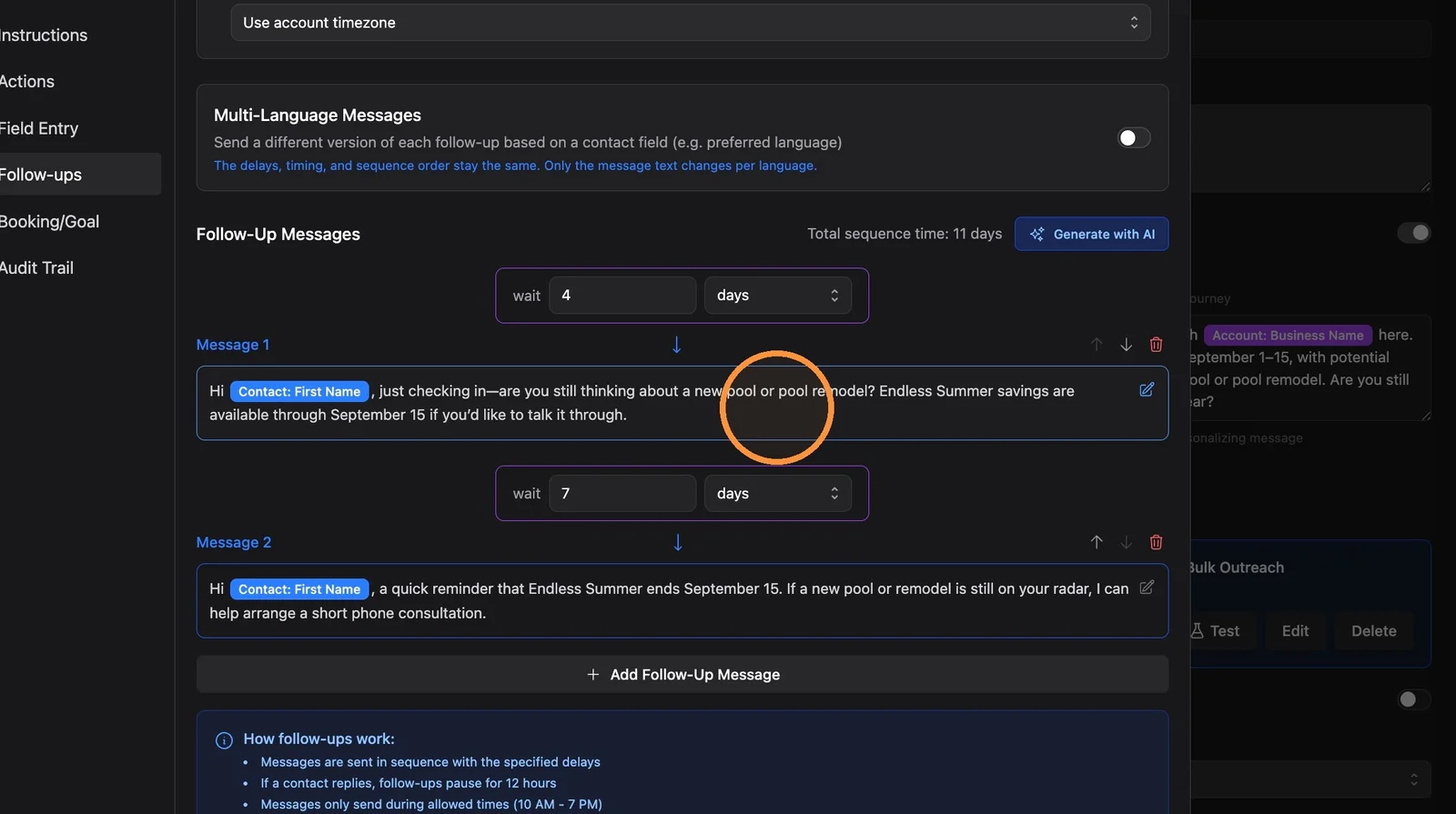
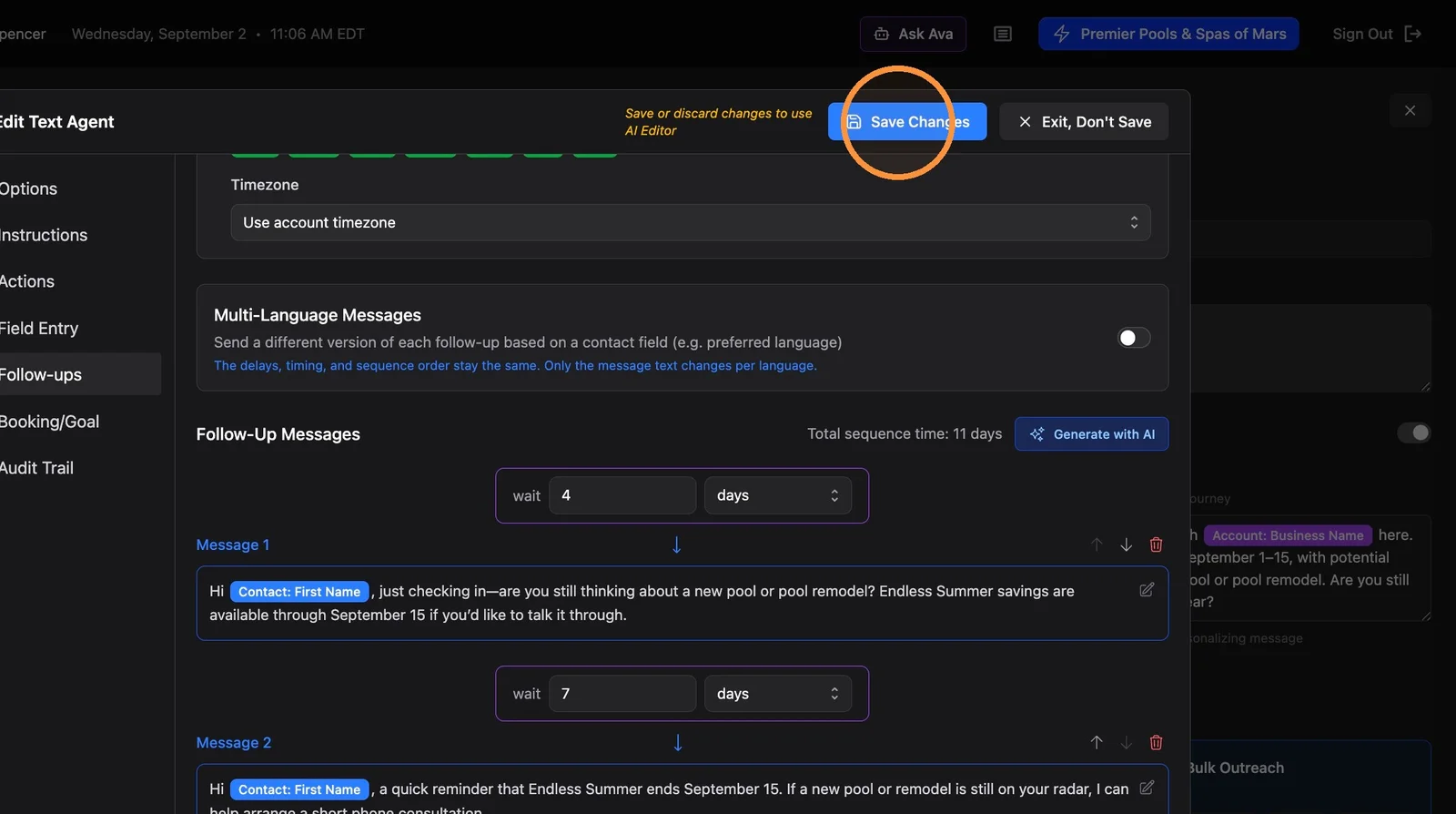
8. Click the Follow-ups tab. Check out your follow-up messages. Edit as needed.
For bulk outreaches, we recommend no more than 4 total messages (initial message + 1–3 follow-ups). Shorter sequences are easier on deliverability when you are texting existing contacts. See SMS Best Practices for Proactive Outreach.
9. If you made any changes to your agent, click "Save Changes"
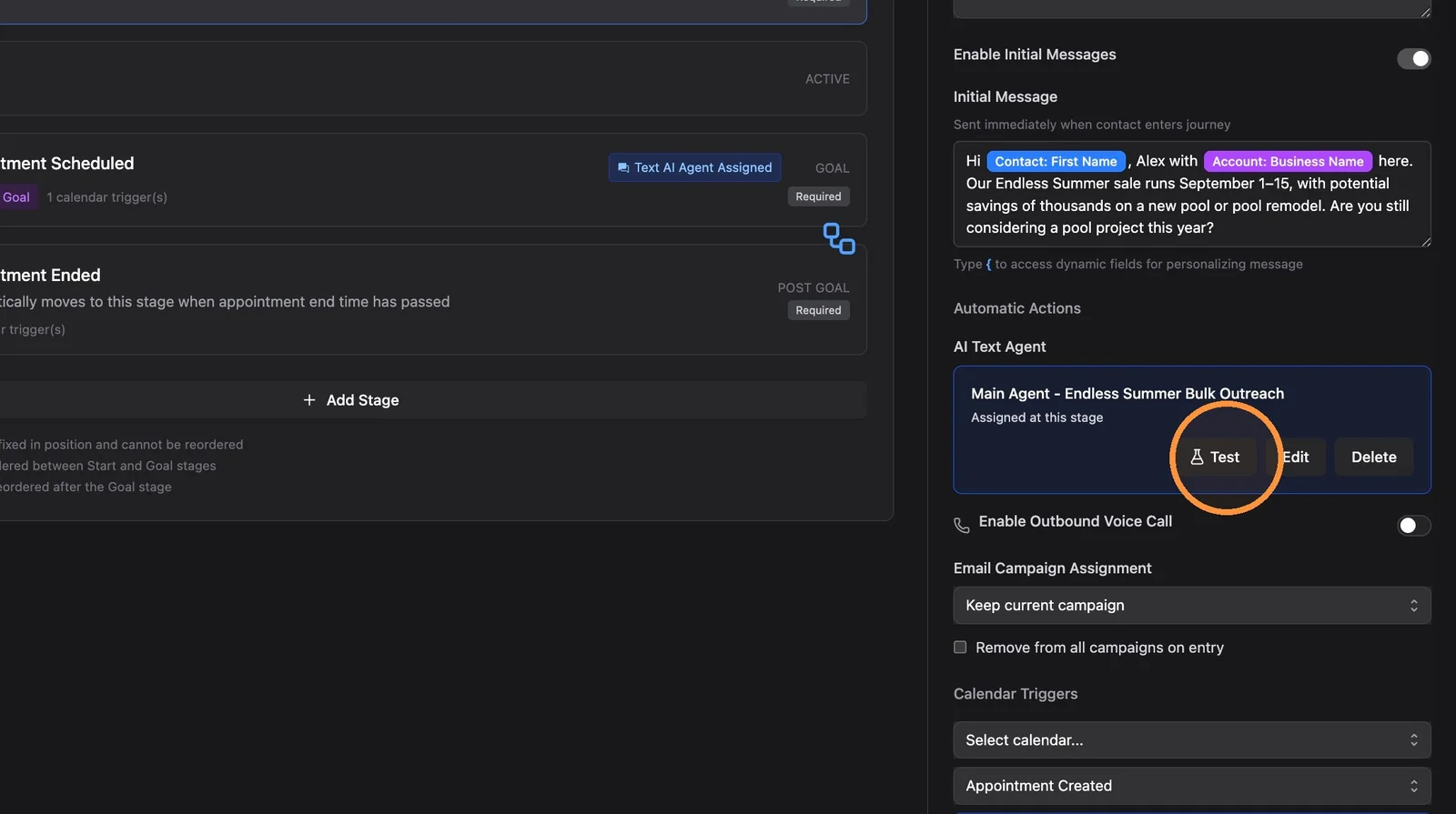
10. Click "Test" to run a test conversation with your agent
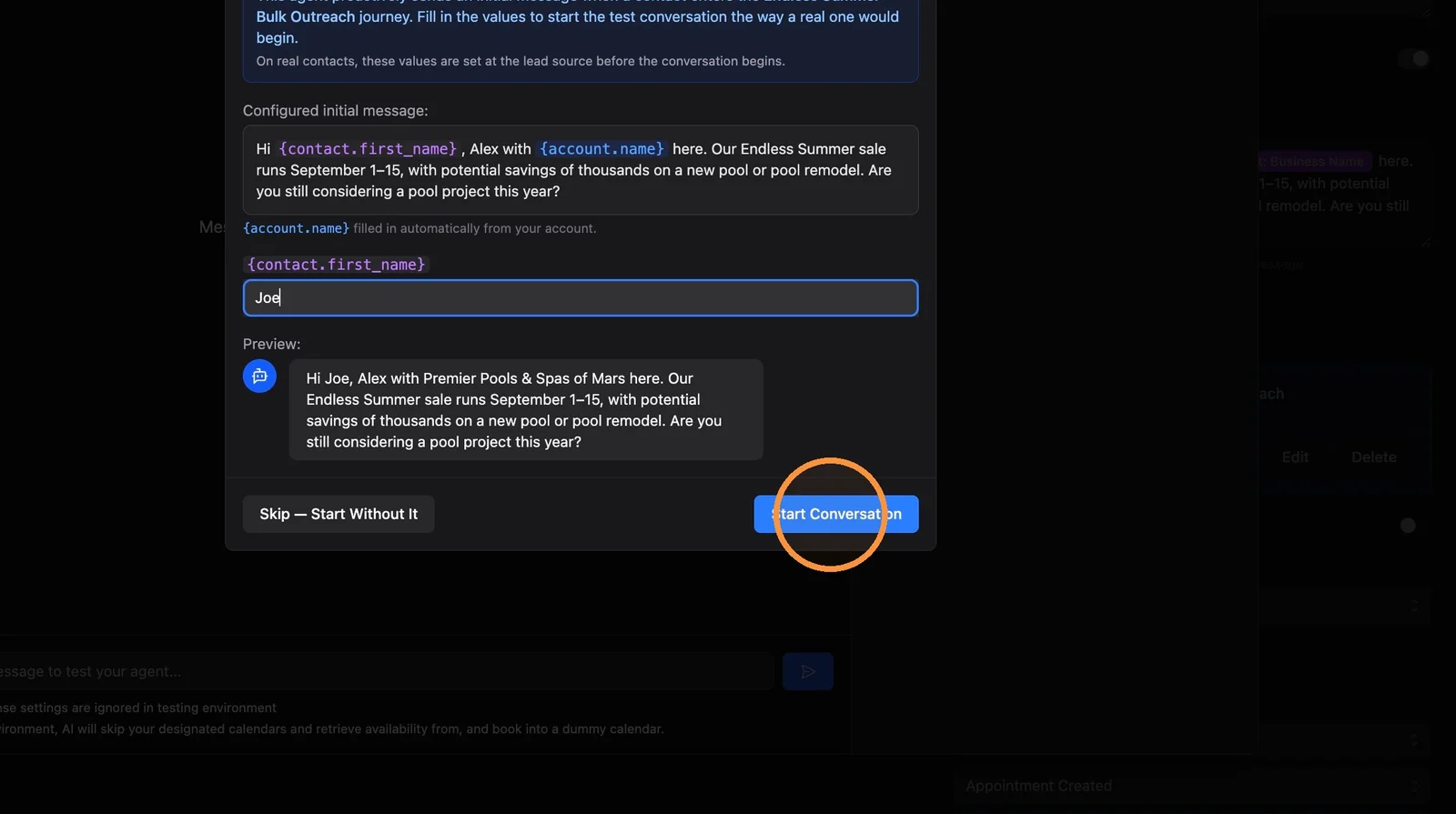
11. Fill in the dynamic values that are present in the initial message. (These would be auto-filled in for real contacts.) Then click "Start Conversation"
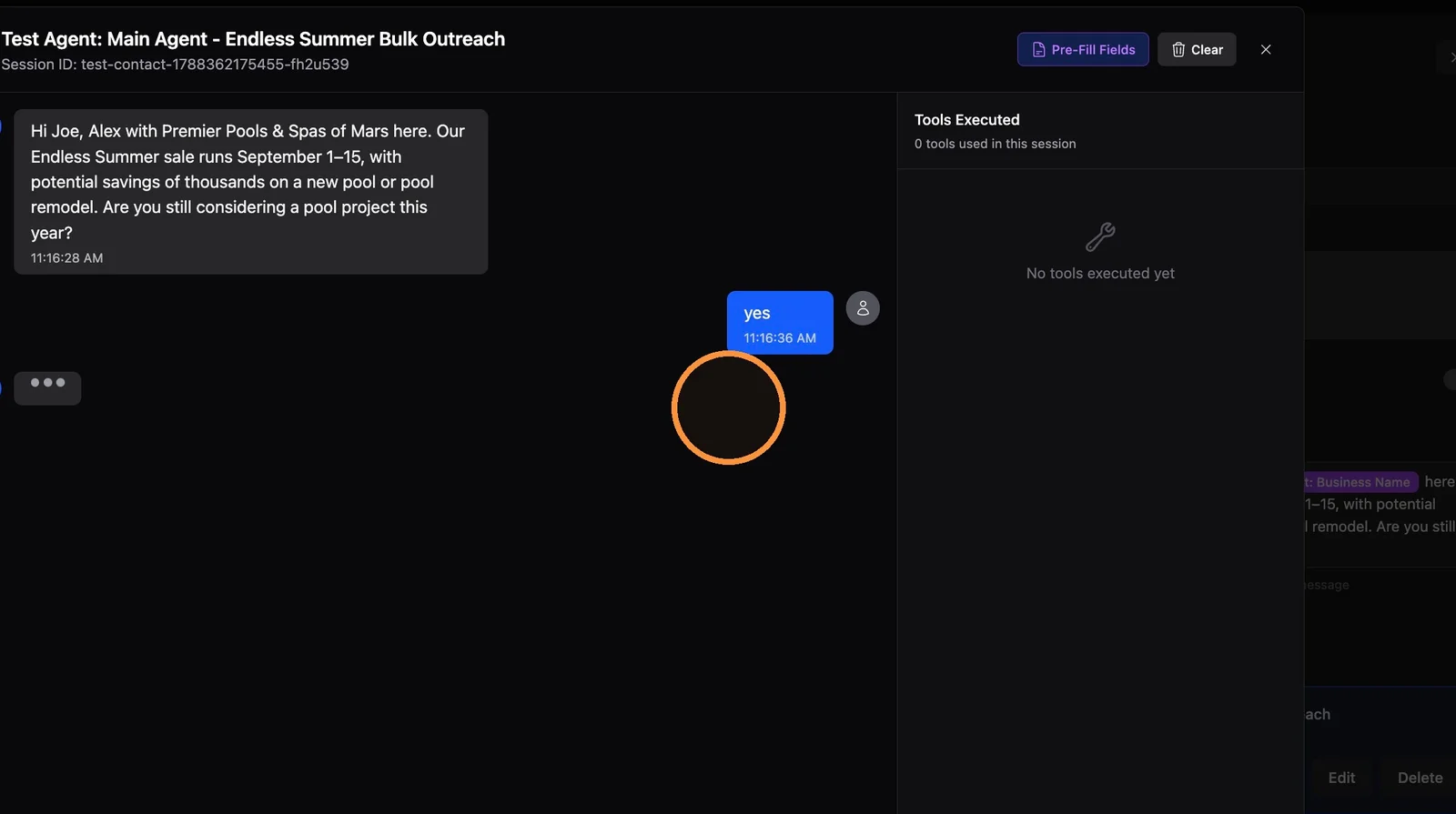
12. Respond to your agent and run through a whole test conversation (or a few).
Confirm the agent mentions the promotion accurately, walks through the conversation the way you want, and wraps it up how you want (ie, booking appointment).
Business Context
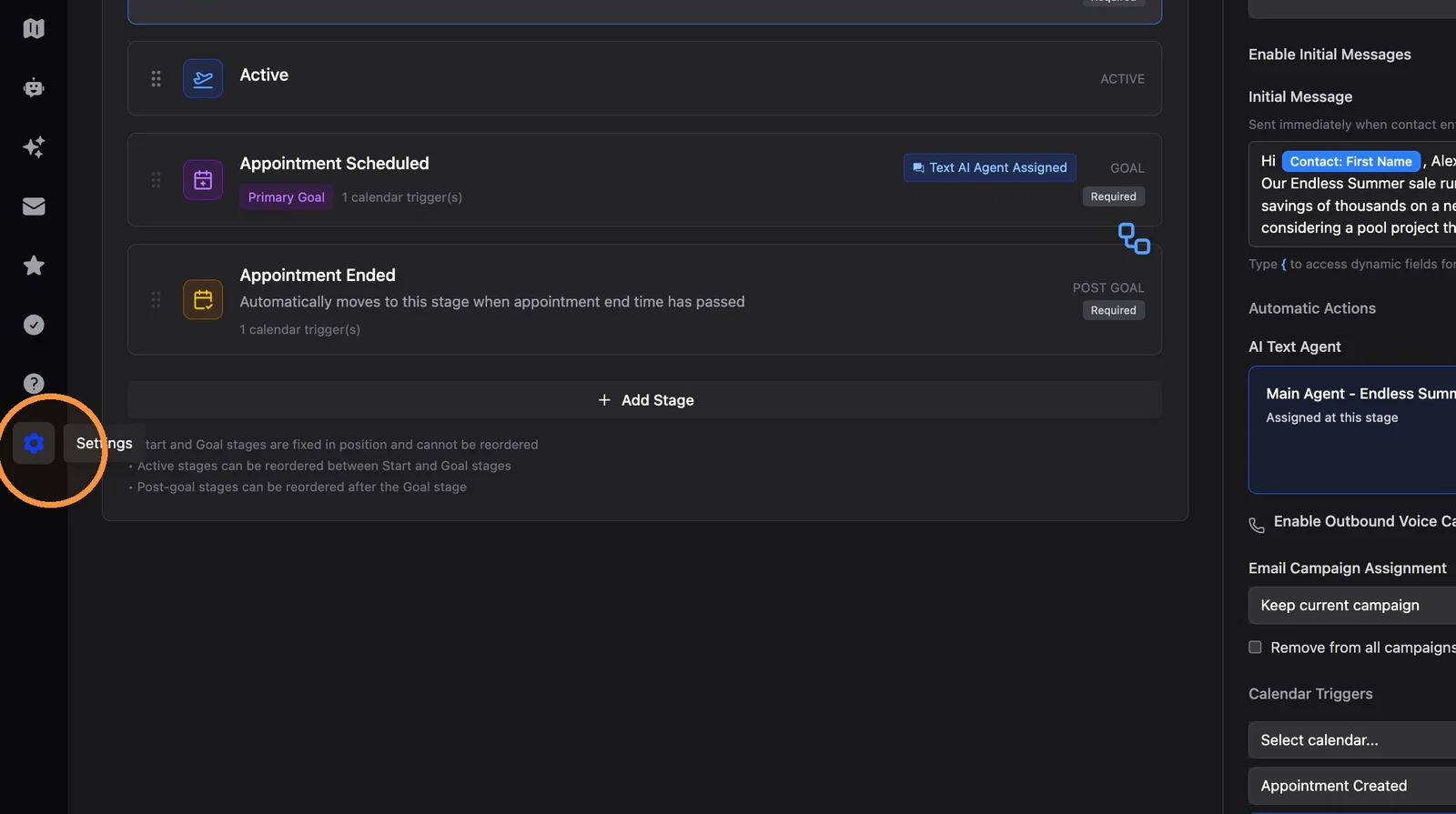
13. Click Settings in the left sidebar
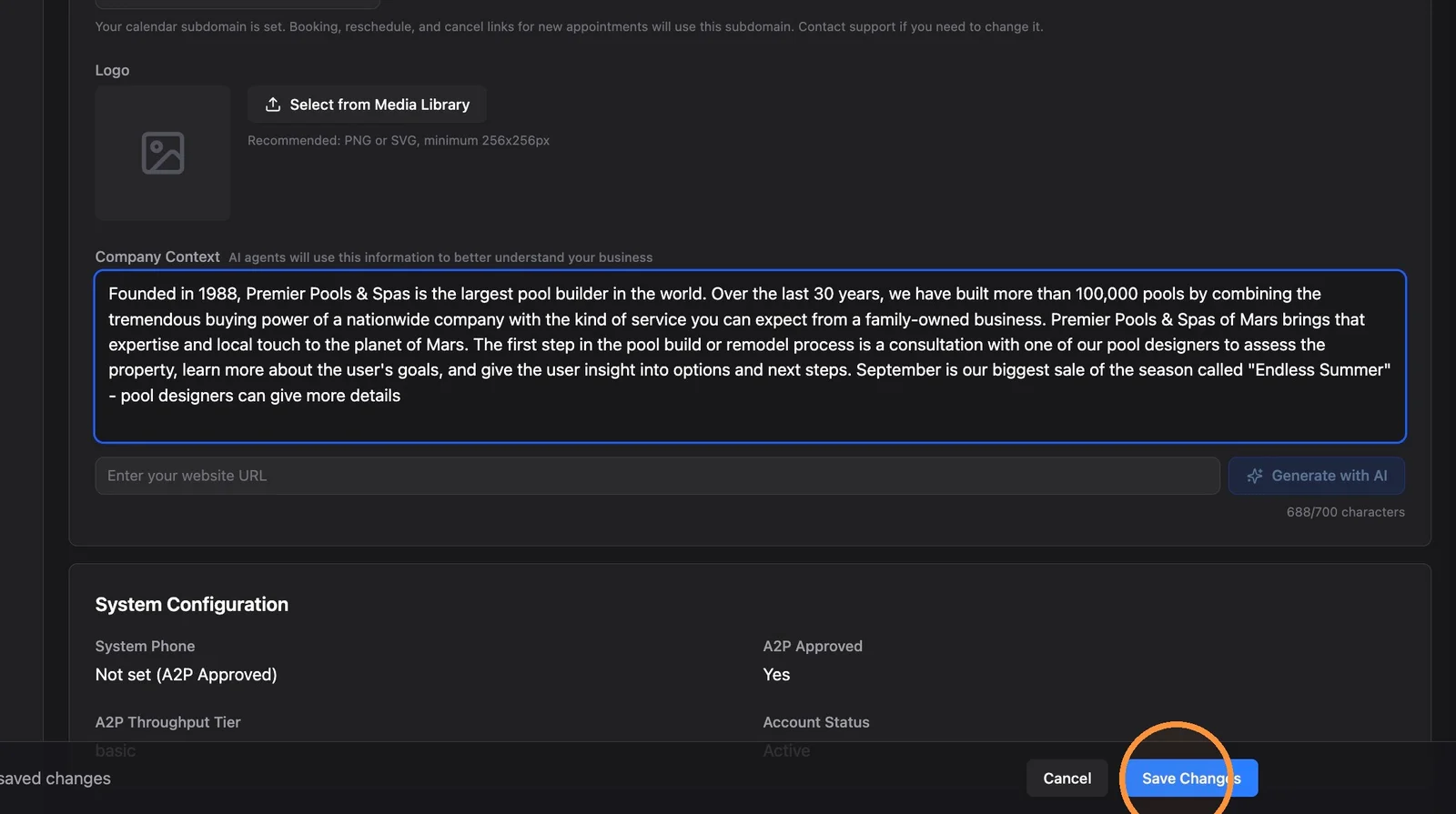
14. In Settings → Business, scroll to the bottom and make sure your Company Context has a small amount of info about the current sale so all your agents are aware of it. Click "Save Changes".
By default, all agent instructions include the Company Context field. A sentence or two about the current offer is enough — keep your core business description and add the sale details rather than replacing the whole field.
Related Features
- How to Bulk Add Contacts to a Journey - Enroll the filtered list after this checklist
- How to Clone an Existing Journey - Create a dedicated bulk outreach Journey if you do not have one yet
- Follow-Up Sequences - Timing, count, and content of sequenced follow-ups
- SMS Best Practices for Proactive Outreach - Deliverability guidance for bulk texting
- Account Setup Prerequisites - Company Context field and why agents use it
- Customer Journeys Overview - Journey stages, enrollment, and bulk job history
Summary
This is a pre-enrollment spot check, not a full Journey rebuild. Confirm the message, the agent, a test chat, and company-wide context — then bulk add.
Checklist:
- Starting Line initial message matches this outreach
- Agent instructions mention the promotion
- Follow-ups reviewed — no more than 4 total messages for bulk outreach
- Agent changes saved
- Test conversation run with sample dynamic values
- Company Context includes a brief note about the current sale
- Ready to bulk add contacts
Best Practice: You do not need a new Journey for every campaign. Once you have a bulk outreach Journey separate from new leads, update the initial message, a little agent context, follow-ups, and Company Context each time you run a sale.